

How it works
- First order. The customer pays with a bank payment such as iDEAL or Bancontact. Juo creates a SEPA mandate through your payment provider at the same time, with no extra charge. The provider emails the mandate confirmation to the customer.
- Renewals. Juo starts a SEPA Direct Debit payment on each renewal date using the mandate.
- Confirmation. SEPA payments take 2 to 5 working days to confirm and don’t process on weekends or bank holidays. Juo creates the renewal order only after the payment is confirmed, so you don’t ship unpaid orders.
SEPA settings
Go to Settings → Retention and acquisition in Juo. The SEPA Direct Debit section appears when your store has a SEPA payment provider connected.Payment timing
Turn on Schedule payments before renewal date to start the payment before the renewal date, so the order is ready on time. Set the Buffer in working days. The default is 2. A buffer longer than a subscription’s billing interval is shortened for that subscription, so a payment never moves into the previous cycle. Weekly plans allow at most 4 working days.Order creation delay
Turn on Create orders 2 days after transaction settlement to wait before creating the order once a payment is confirmed. This lowers the risk of shipping orders that are charged back soon after payment, but delays delivery.Payment title
Turn on Custom payment title to replace the default description customers see on their bank statement, for example “Acme Coffee subscription”. A clear title reduces chargebacks from customers who don’t recognize the payment.Chargeback recovery
Choose what happens when a SEPA payment is charged back:- Enable chargeback dunning flow creates a new draft order and sends a payment link to Klaviyo, so you can ask the customer to pay.
- Chargeback reasons decide which reasons start the flow. Only reasons that allow contacting the customer can be selected.
- Enable auto-retry via mandate retries insufficient-funds chargebacks with the existing mandate before sending the payment link. Set Maximum retries between 1 and 10. The default is 3.
- Revoke payment method after an insufficient-funds chargeback avoids repeated chargeback fees. With auto-retry on, the payment method is revoked after the last retry.
- Set a product for draft orders adds a virtual product to recovery draft orders instead of the original products.
Chargebacks
SEPA Direct Debit has two kinds of chargebacks:- Requested by the customer. Customers can ask their bank to reverse a payment up to 8 weeks after it without giving a reason, or up to 13 months if they say they didn’t authorize it.
- Automatic. The bank reverses the payment because of an account or mandate problem, such as insufficient funds or a closed account. This can happen after the money has reached your account.
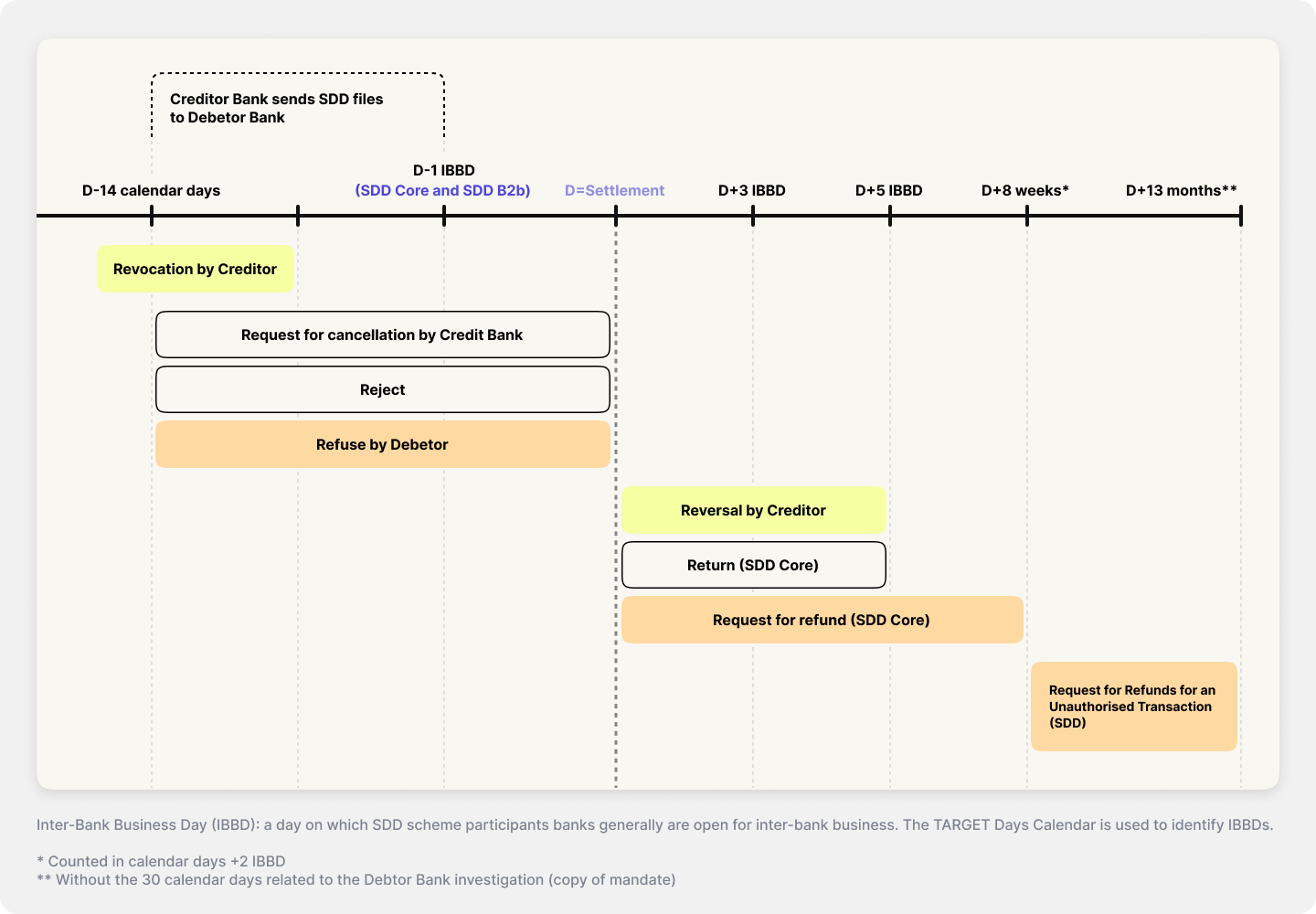
When SEPA chargebacks can happen, and their reasons
chargeback, sets the subscription to Failed and sends a Chargeback Subscription event to Klaviyo. You can see the chargeback reason on the subscription timeline in Juo.
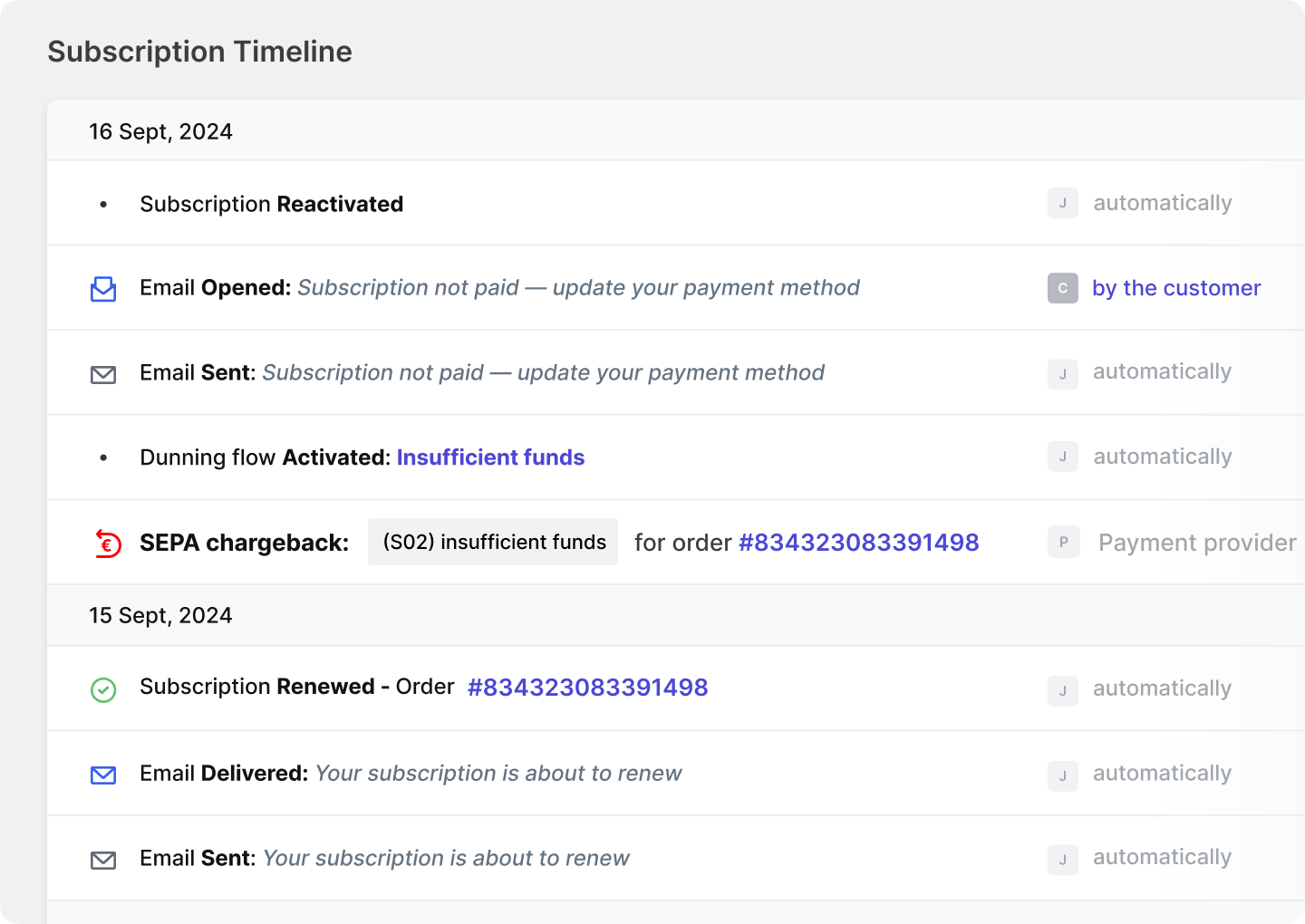
The chargeback reason on the subscription timeline