

Create an Upsell
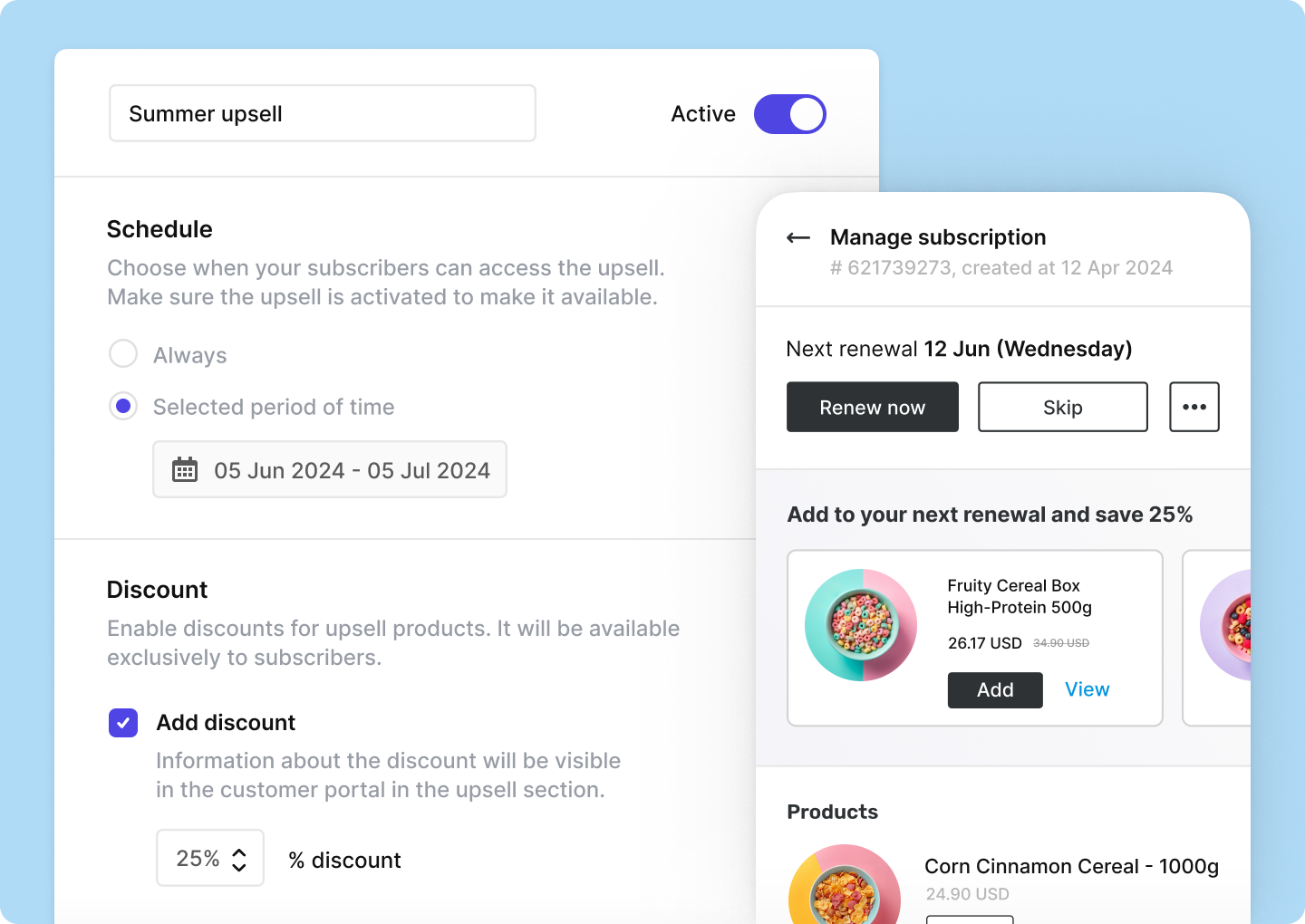
To create a new Upsell, navigate to Experiences → Upsells → Add Upsell and fill in the details:- Campaign name: Enter a name for your upsell campaign.
- Schedule: Choose whether your upsell should be available always, or just during a specific time period. Set the start and end date for the upsell offer if you choose the latter.
- Discount: Optionally, set a discount percentage. This discount will only be granted to the customers who purchase the product through Juo Upsells.
- Usage limit: Decide if you want to limit the number of products your customers can add using Upsells.
- Customer eligibility: Limit the offer to specific customer segments or customers subscribed to a specific product.
- Click Save button for the other options to appear at the bottom of the page.
- Products: Select which products you want to offer as part of the upsell.
- Activate the Upsell by pressing the Active toggle at the top of the page.
Customer experience
Your selected products will become visible in the Customer Portal as per the schedule.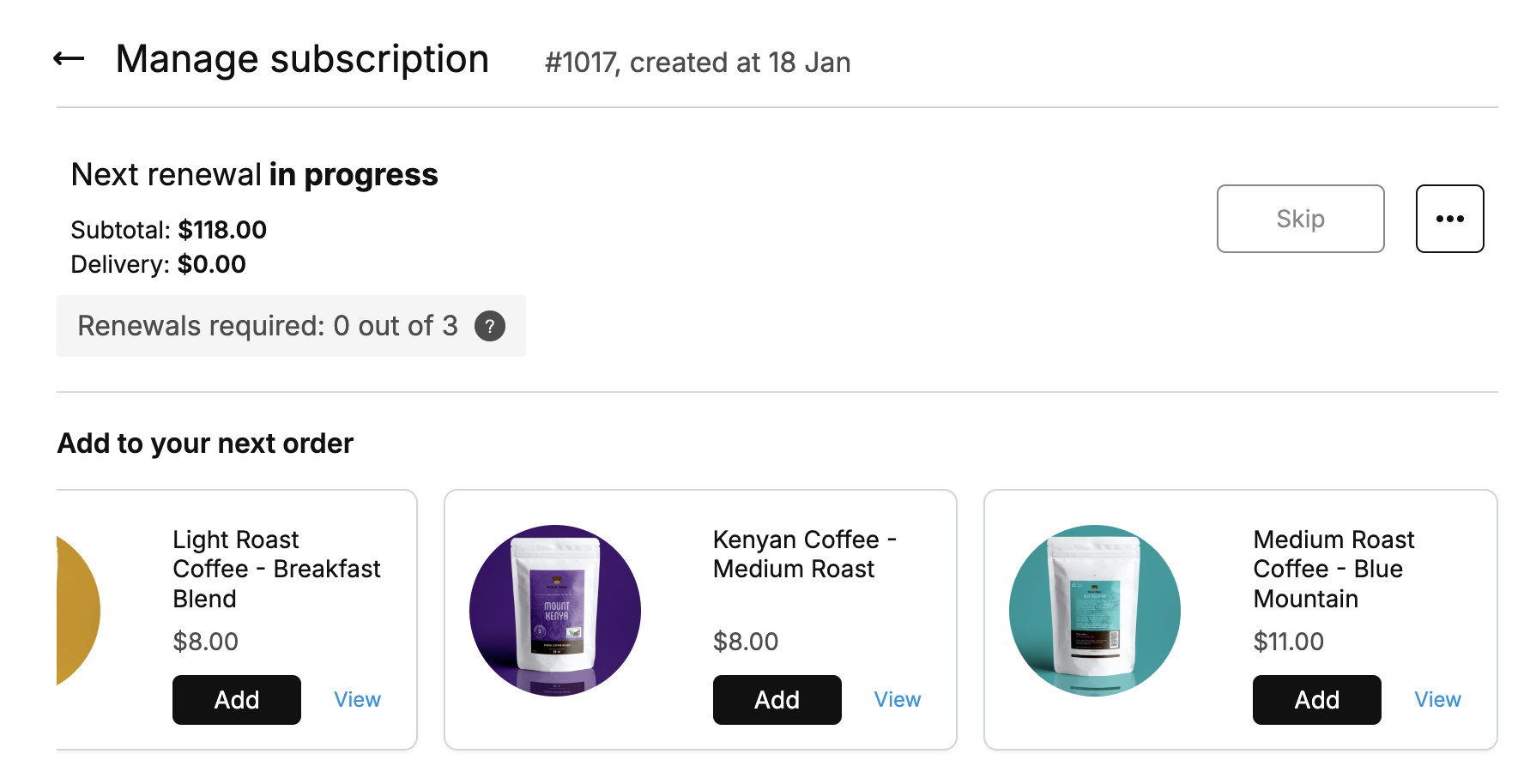
Upsells visible in Juo Customer Portal