

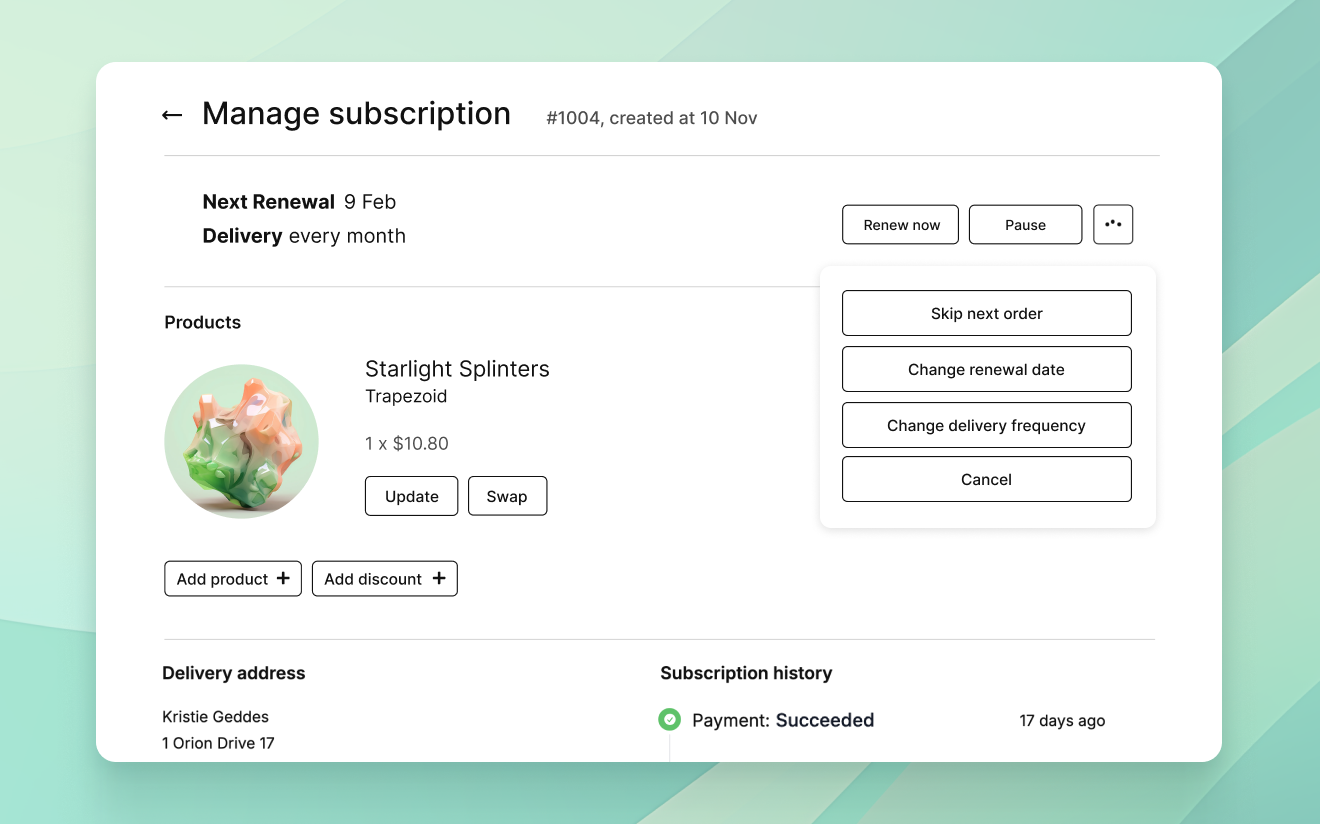
/apps/juo, and you decide what subscribers can change there.
How subscribers get in
Subscribers open the portal from the Manage subscriptions link in your store. To add it, see Customer Portal link. They don’t need a store account. They can log in with:- their Shopify customer account,
- a one-time code sent to their email,
- Google or Facebook.
What subscribers can do
Changes apply from the next renewal. A payment method update sends a secure link to the subscriber’s email.
To move the next renewal of a single product, subscribers open Edit product and pick a date in the Next renewal field. They can choose any date from tomorrow up to two cycles of the selected delivery frequency ahead. The field appears only when change renewal date is turned on.
Choose what subscribers can change
In Juo, go to Settings → Customer Portal to turn each action on or off:- Management actions: cancel, pause, skip, change renewal date, change frequency (including a custom frequency), change address and delivery method, redeem discount codes, reactivate canceled or failed subscriptions, add products as one-time purchases.
- Product editing: add, remove, swap, change quantity or variant.
- Excluded products: hide products from the portal. Turn on auto-exclude new products if you add products often.
If a plan has a minimum number of renewals, subscribers can’t cancel, pause or skip until they reach it. The portal tells them how many renewals are left.
Make it look like your store
The portal picks up your store’s fonts and colors. Under Settings → Customer Portal, you can fine-tune colors and button shapes. For more control, turn on the block-based Customer Portal in the same settings. You then design the portal in the Editor: reorder sections, add banners and upsells, change texts and translations, and preview everything with a real subscriber’s data before you publish.Go further
Save subscribers who want to cancel
Show offers in the portal before a subscriber cancels.
Sell more in the portal
Recommend add-ons and one-time products to subscribers.
Design the portal in the Editor
Every block, style and setting of the block-based portal.
Build your own blocks
Developer docs for custom Customer Portal blocks.