

Getting started with workflows
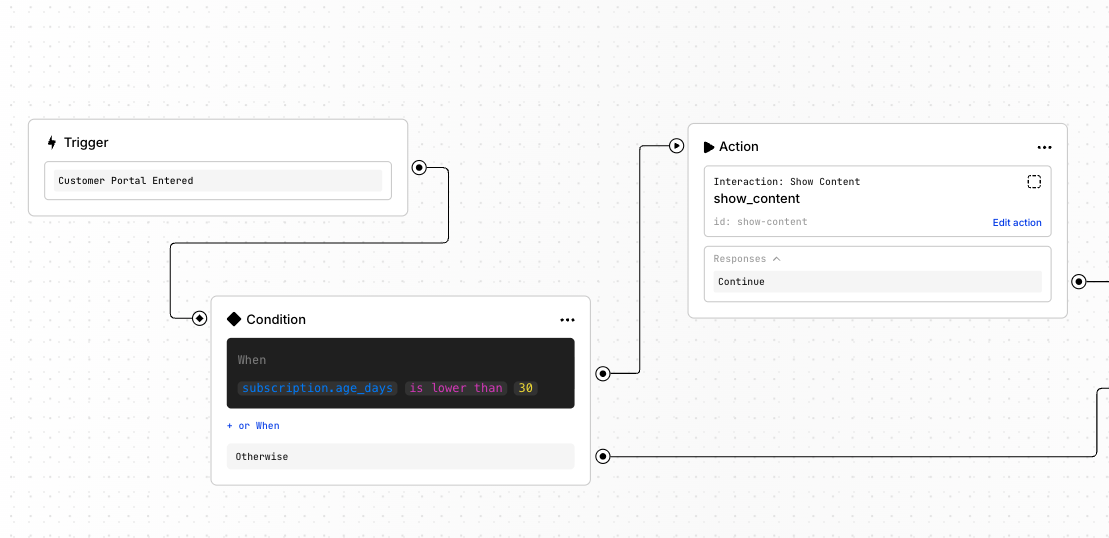
Workflows come with a visual builder where you create desired logic by connecting nodes using the following logic structure: Trigger → (optional) Conditions → Actions- ⚡ Triggers are events that start a workflow.
- 🔀 Conditions define how the workflow should continue.
- ▶️ Actions define what the workflow does.
How to build a workflow
To build a workflow, go to Admin Panel → Workflows.
- Create a new workflow and add a starting trigger
- Add an action or a condition
- Branch the flow with more actions and conditions according to your needs
- Finalize each path by adding an
Endnode
Next steps
- See Use cases for starter workflows you can adapt
- Use the technical reference for Triggers, Conditions, and Actions