Juo <> Klaviyo Flow triggers
Juo is currently syncing the following events with Klaviyo:Klaviyo uses the US spelling in the event name: Canceled Subscription. Search for this name when selecting the flow trigger.
daysToRenewal, index or label properties. See Retention flow.
You can use the above events as triggers to send subscription notifications. For example, if you want to send an email after a subscription has been purchased in your store, select Started Subscription as a trigger.
Custom events from workflows
In addition to the events above, you can send your own events to Klaviyo with the Send event to Klaviyo workflow action. Set an event name and, optionally, key/value properties. If a metric with that name does not exist in Klaviyo yet, it is created when the first event is sent. Custom properties are merged into the standard subscription and customer properties, and a custom property overrides a standard one with the same key. See Workflow actions.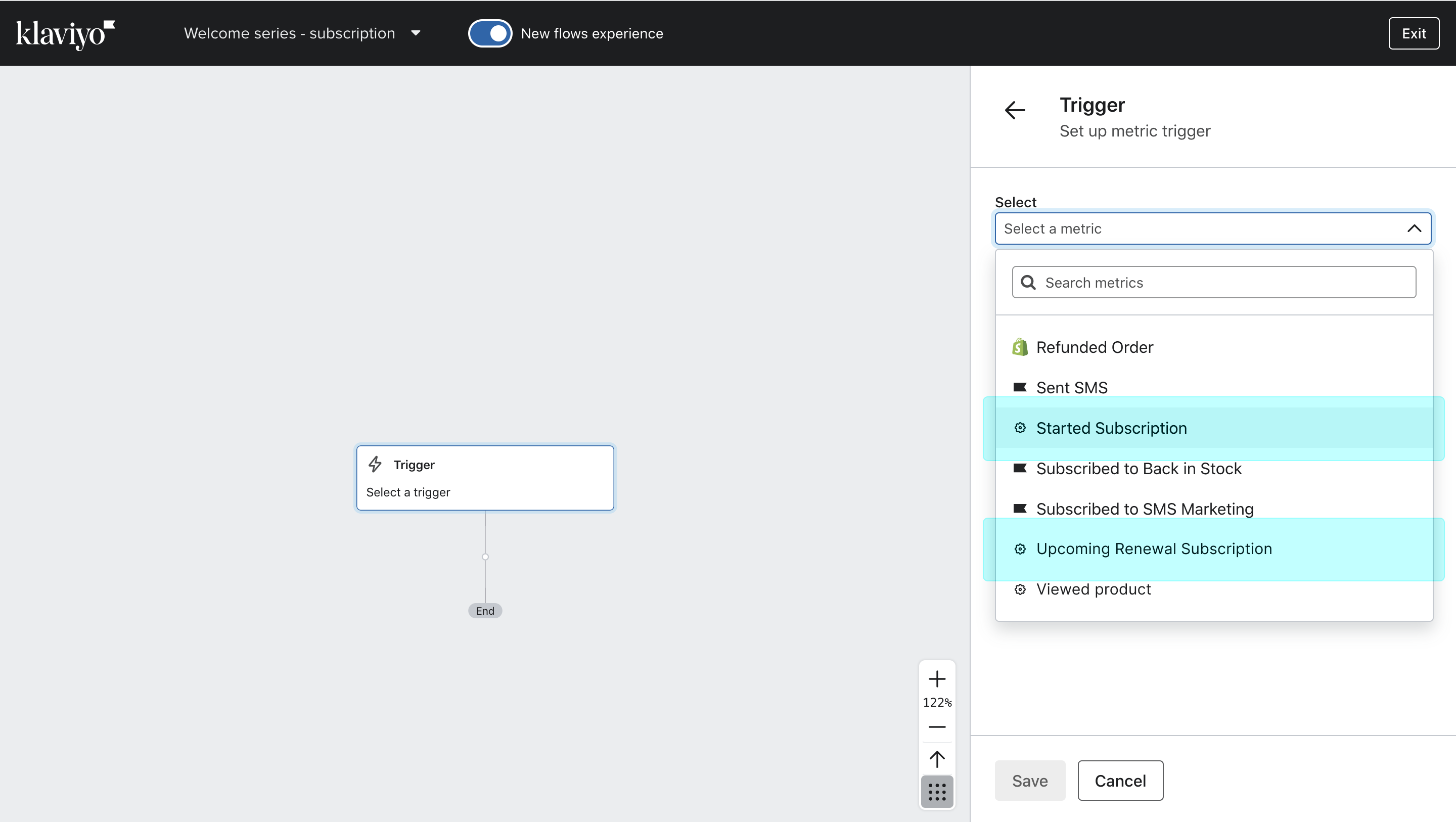
Subscription purchase can trigger your Klaviyo flow
Customer tags as flow filters
Apart from events that act as triggers, you can also use tags to limit the email flow to specific subscriber segments. Juo automatically tags subscription and membership customers with different tags, depending on the type of subscription, its status, and the number of subscription orders.Tags assigned to subscription customers:
Status tags:
Loyalty tags:
Membership tags:
A subscriber will only have one tag per tag group assigned at any give time.
Tags assigned to potential subscribers
Based on their order history, customers can also be assigned the subscription_intent tag, which allows merchants to convert them to subscribers more easily with targeted messaging. Subscription intent tagging is a PRO feature that can be enabled under Settings > Subscription intent. All the above tags can be used as flow filters in Klaviyo — they can be found under Flow filter > Properties about someone > Shopify Tags.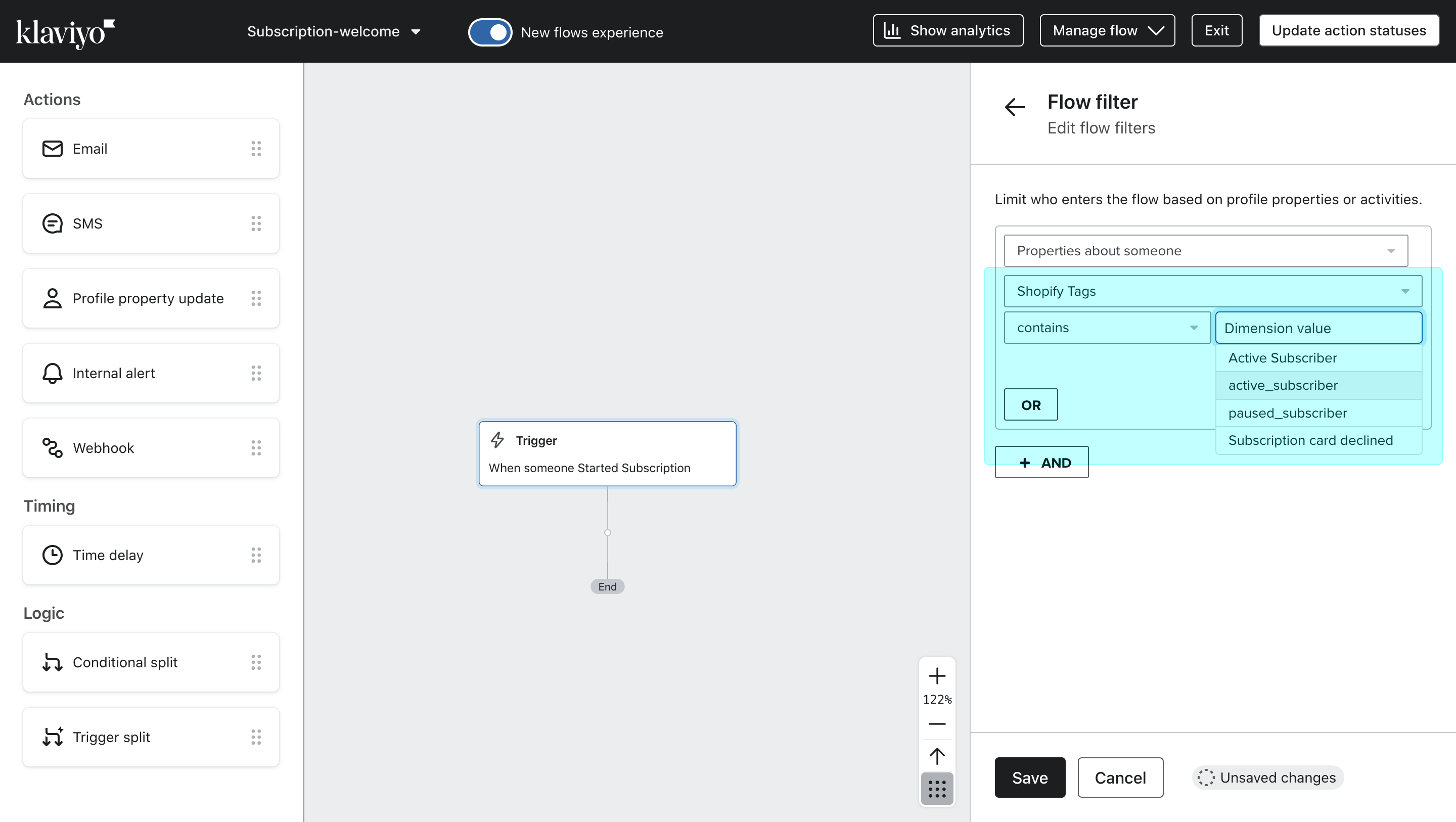
Subscriber tags can also be used as filters
Juo <> Klaviyo Event properties
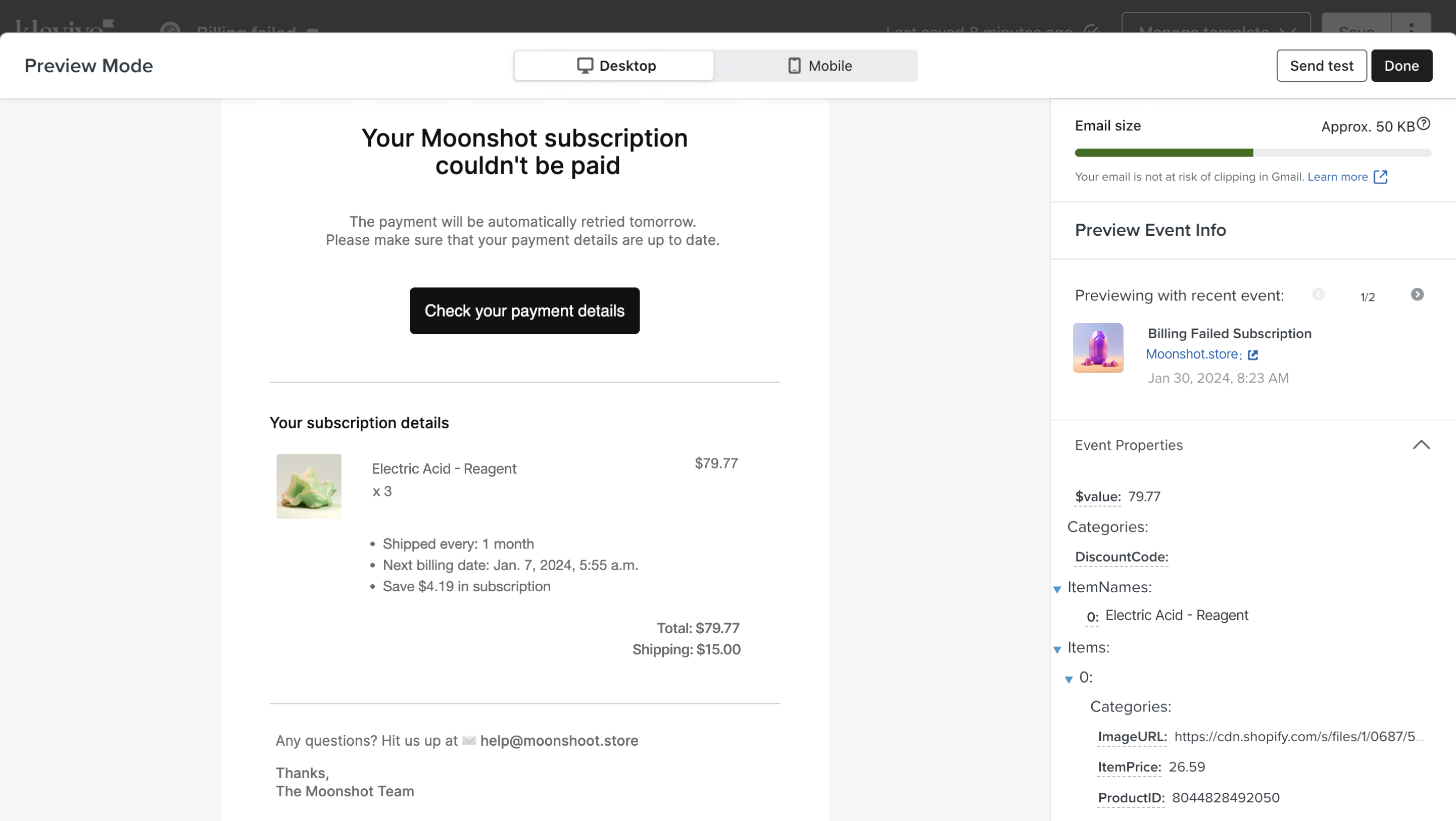
Each of the events that is synced between Juo and Klaviyo comes with a set of properties that can be used as dynamic variables in the email and SMS notifications set up in Klaviyo. To access the properties that are available for each event, you need to add an Email action in Klaviyo and switch from the content editor to the preview mode as you set up the content. You can copy the properties from the preview back into the text fields in the content.Subscription-related properties
Renewal Requires Action carries only
NextActionUrl and the renewal amount as $value. Opened Subscription Fulfillment carries Items, FulfillmentOrderSequenceNumber, ShippingAddress and DeliveryType. The other events carry all of the properties above.
Depending on the event type, some additional properties may become available, such as:
Customer-related properties
Item-related properties
Here’s an example of how you can use properties to display additional subscription information in each email, including:
- products ordered
- product quantity
- total price for the products
- subscription benefits
- total item and shipping value
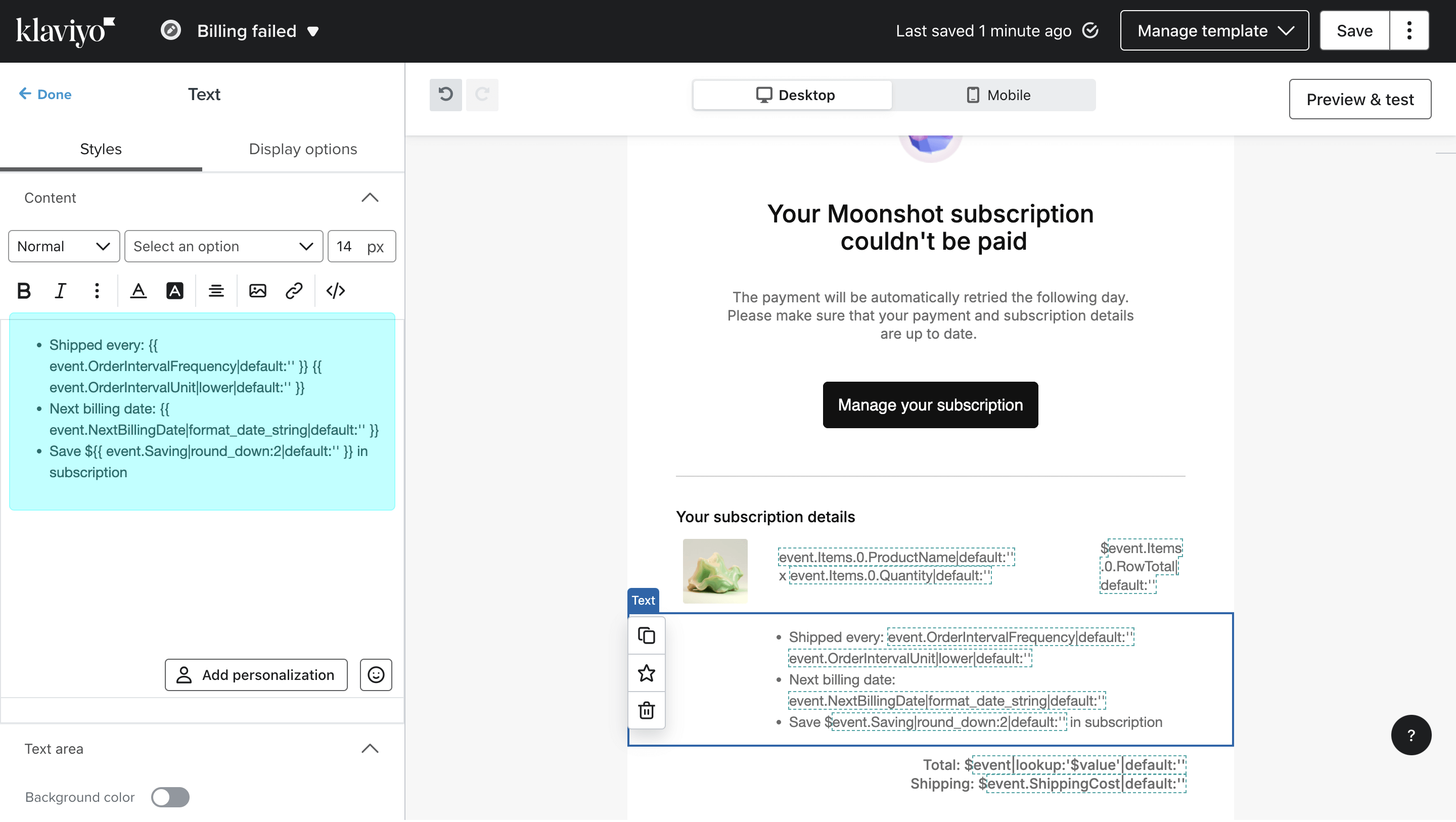
Copy the variables into your Klaviyo email template