

 Tiered discounts is a feature in Juo that allows you to offer volume discounts on selected items, based on the number of items your customers add to cart.
Create a new Tiered discount
You can manage your discounts under Experiences > Tiered discounts. To get started with discount creation, click on the “Set up tiered discounts” button. Once on the Tiered discounts tab, click the Add discount button at the top.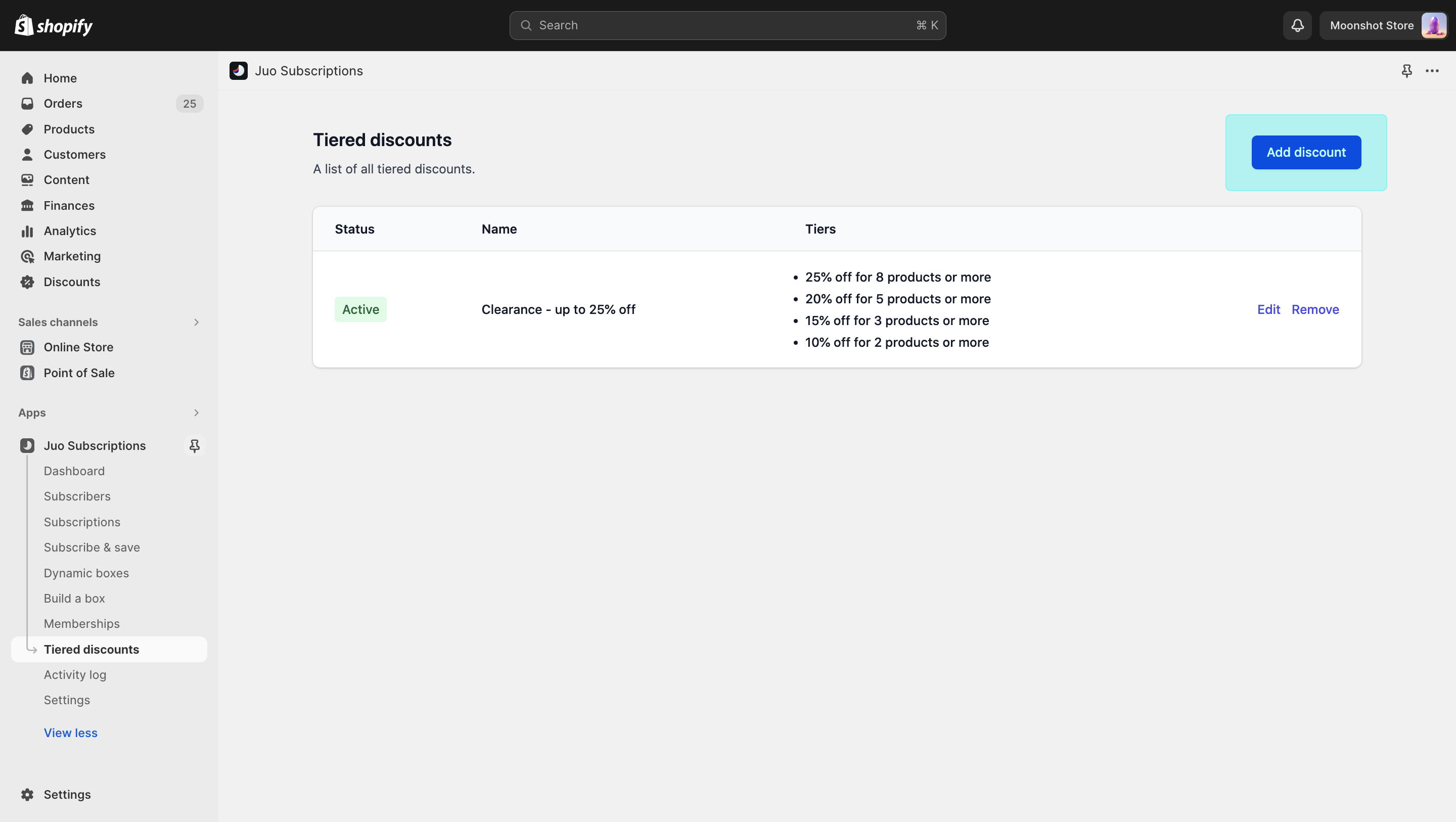 Start the discount creation process
Provide discount details
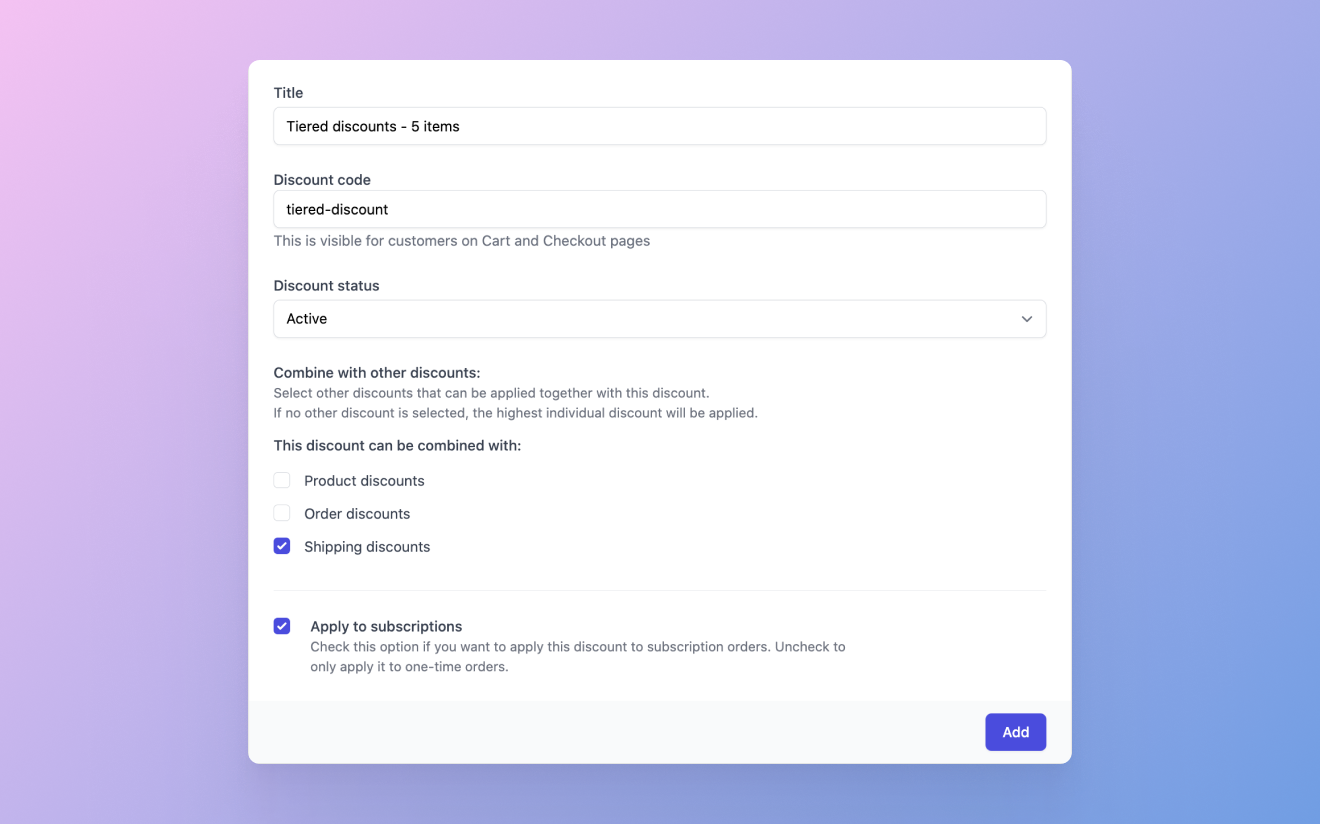
There are a few details that need to be provided to enable Tiered discounts.Title
This is the label assigned to your discount. It will only be visible to you, so choose a name that helps you identify the discount later on.Discount code
This field allows you to input the discount code for your Tiered discount offer. This code will be visible to your customers in the cart and checkout once they have added enough eligible products.Discount status
Set the active status if you want to apply the Tiered discount in your store immediately upon finishing the setup. You can also use this setting to activate or deactivate it periodically when you need to.Combine with other discounts
Tiered discounts can also be combined with other discounts in your store:- Product discounts — discounts that apply to individual products in your store, apart from tiered discounts
- Shipping discounts — discounts that apply to shipping
- order discounts — other discounts set up in your store that apply to the entire order
- Apply to subscriptions — this option applies Tiered discounts to subscription orders (on top of one-time orders)
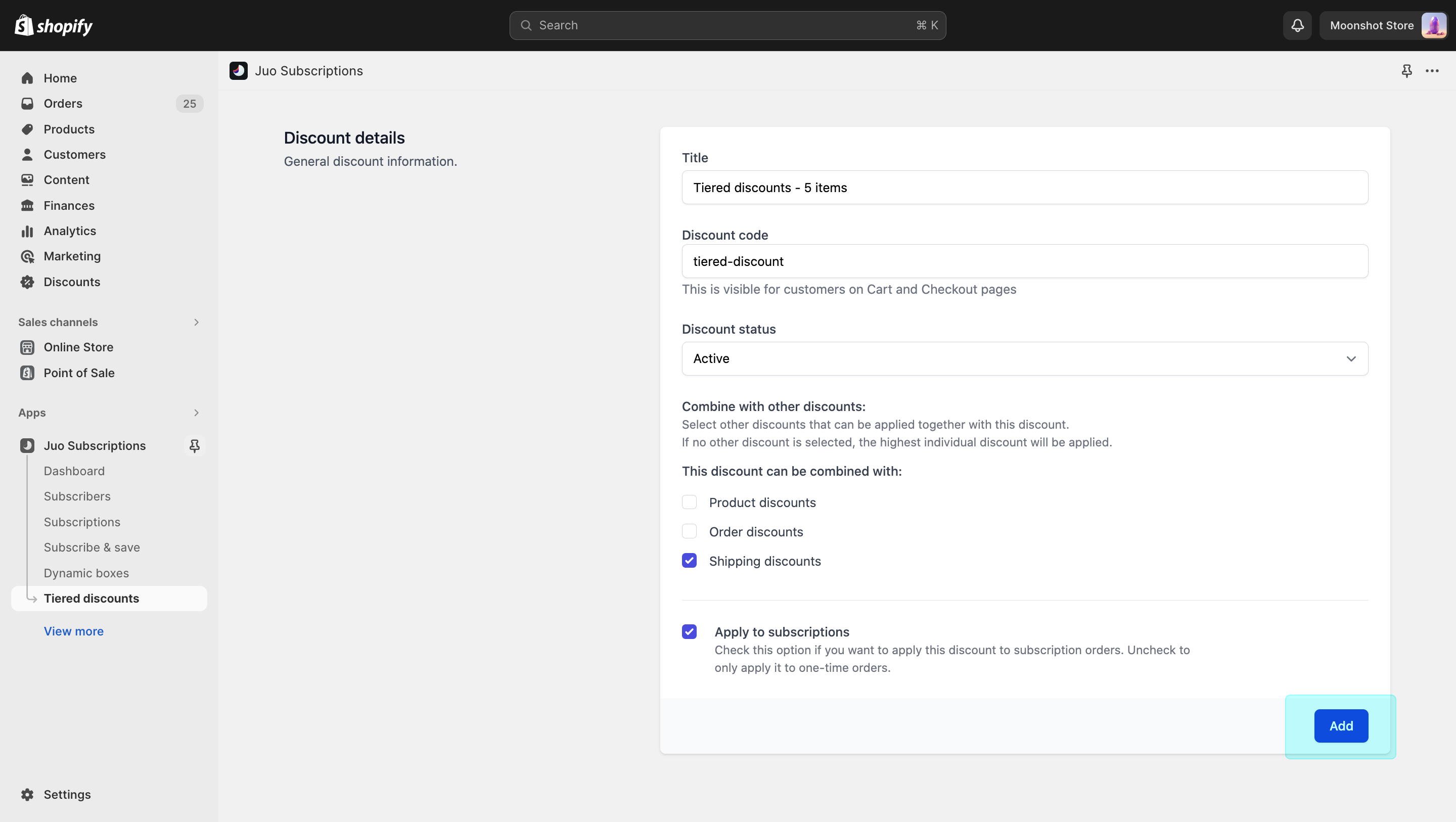 Provide the details of your discount first
Set up discount tiers
Next, you can set up the discount tiers. Click on the Add button to get started. First, pick the number of products that will activate a certain tier, next, choose the corresponding discount. Hit save, and the first tier is set up. You can set up multiple discount tiers in the same manner. There are no limits to the number of tiers you can create, but having 3-5 should be enough for more stores and contexts.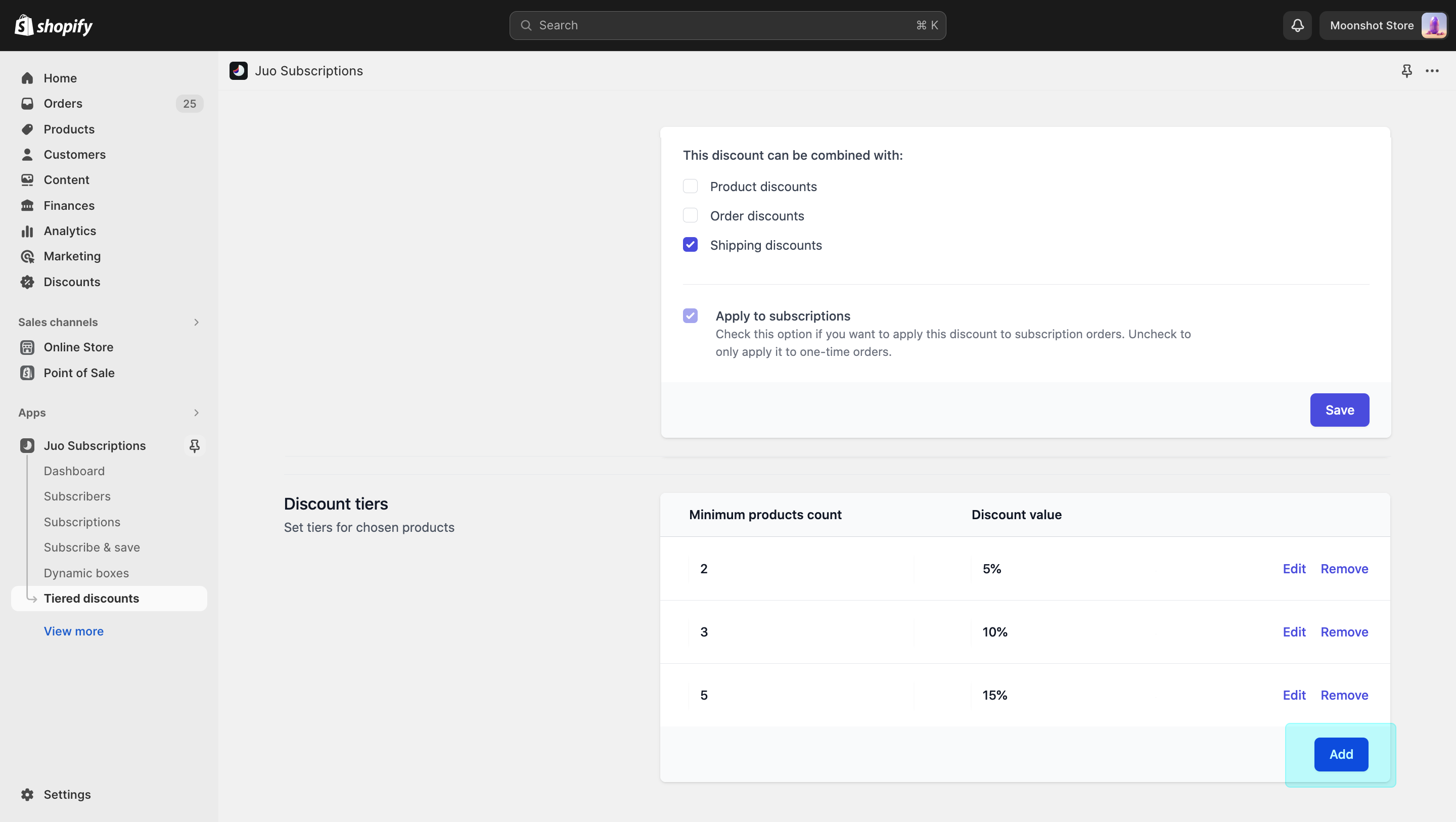 Next, define the discount tiers
Choose eligible products
Finally, select the products (or product variants) to which the Tiered discount should apply. Whenever the customer adds a required number of eligible products to their carts, the corresponding discount will be applied automatically.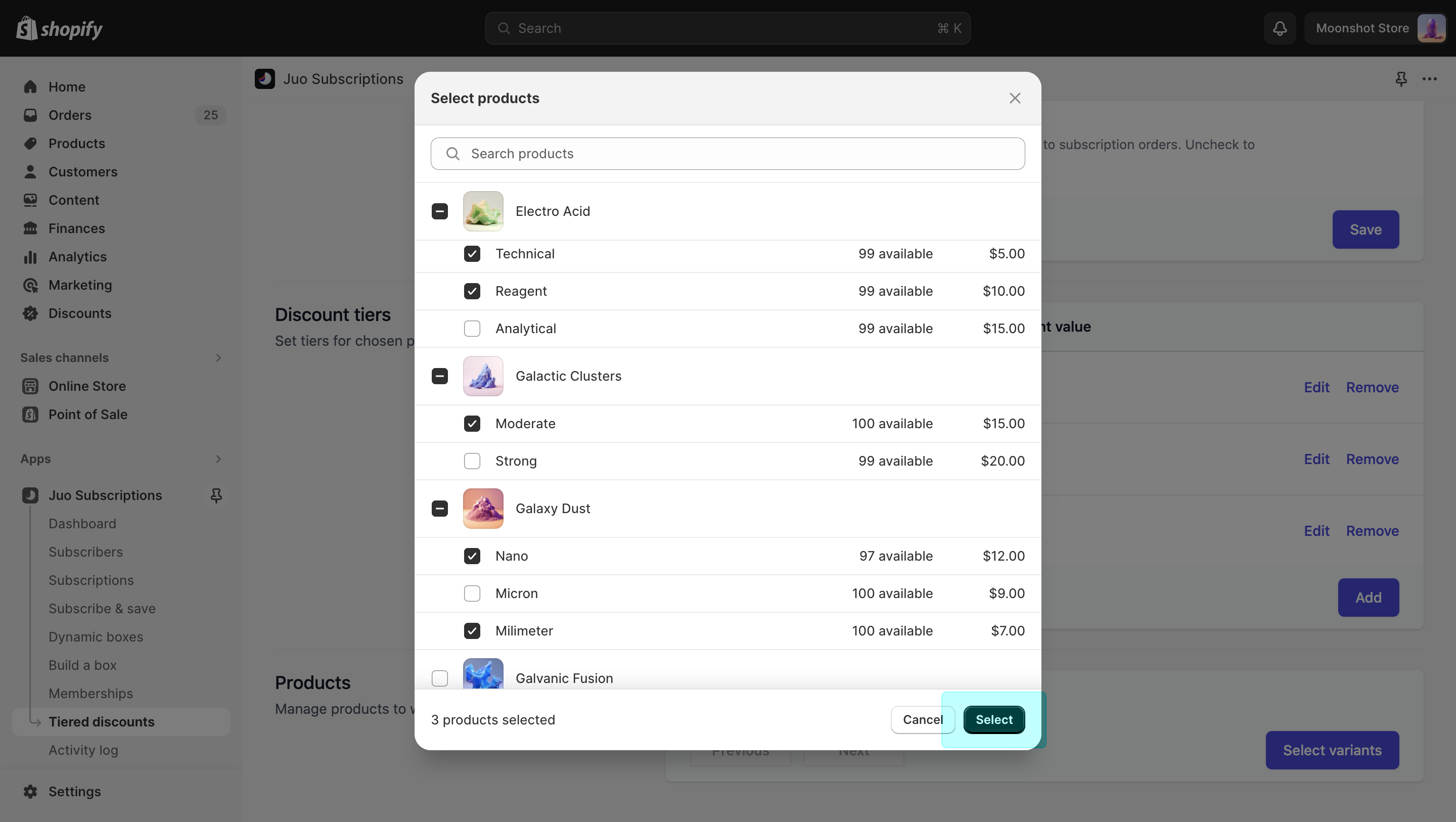 Finally, choose eligible products
Once you’ve confirmed the products, your Tiered discount will save and apply in your store automatically. Tiered discounts will apply to both one-time and subscription orders.
Finally, choose eligible products
Once you’ve confirmed the products, your Tiered discount will save and apply in your store automatically. Tiered discounts will apply to both one-time and subscription orders.